CaptureGem vs Moniturbate: Platforms, Load and Rig Planning
Table of Contents
Moniturbate and CaptureGem both keep an eye on a list of cam models and capture their shows at the highest quality available. On a feature list they overlap. When you’re building a machine to do the recording, though, the questions change. Which operating system does the box have to run? How much work lands on the CPU after each show? How many simultaneous streams can you test before paying? And how do you stop the drives from filling up? Those are the questions this comparison answers.
The short version
CaptureGem is the more flexible base for a recording machine. It installs on Windows, macOS or Linux, and Linux users can go headless with the standalone recorder. It records from 24 built-in sites (StripchatVR, Dreamcam and SexLikeReal among them, for VR) plus 130+ platforms through Streamlink. Its free version can run several recordings at once, so you can load-test your hardware before buying anything, and it ships with disk-management tools. Moniturbate is a credible choice if your recorder will be a Windows PC and all of your models stream on its listed platforms. Its Premium plan is listed at $29 per month.
Spec comparison
| CaptureGem | Moniturbate | |
|---|---|---|
| Recorder operating system | Windows, macOS, Linux; headless recorder on Linux for advanced users | Windows desktop software; separate free Chrome extension for Windows, macOS and Linux |
| What it saves | The site’s source stream at the top available quality | Highest available quality, up to 4K at 60 FPS per its site, when a stream supports it |
| File types | MP4 (default) or MKV | .ts and MP4 |
| Work after recording | Conversion into the finished file (normally a stream copy) and automatic preview grids | Auto-encode to MP4 (Premium); clips exported as compressed MP4 |
| Free-tier concurrency | Several in parallel (10-model list, 5-minute cap per recording) | Single recording at a time |
| Paid concurrency | Unlimited, as bandwidth allows | Unlimited, limited by bandwidth |
| Sites in one recorder | 24 built in, three VR, plus 130+ via Streamlink | 10 listed |
| Storage tools | Separate temp and video folders, minimum free disk space, disk audit, segment length cap, batch actions, deletion protection | Not advertised |
| Price | Free version; Premium | Free version; Premium listed at $29 per month |
What Moniturbate does well
Moniturbate is a tidy package for a single Windows PC. The free version lets you monitor an unlimited list of models, the list shows online status with live thumbnails, recordings come in at the highest quality the stream offers, and a built-in editor cuts and trims clips. Premium adds unlimited simultaneous recordings, auto-record and a monitoring list that’s saved between sessions. If that PC is your only computer and your models all broadcast on its platforms, it covers the basics without fuss.
The operating system decides the box
Moniturbate’s page describes recording “with your Windows computer”, so a Moniturbate rig is a Windows rig. That means a Windows install whose power settings, sleep behavior and update restarts you manage around your recording hours.
CaptureGem leaves the hardware choice open:
- Windows: reuse a gaming PC or a small form-factor desktop. Our notes on preparing Windows for background recording cover the settings to check.
- macOS: a Mac mini or an older MacBook makes a quiet recorder that can sit on a shelf.
- Linux: run the desktop app, or, if you’re comfortable with services and ports, the standalone
recorderddaemon controlled through a local HTTP API. The official standalone guide explains it. Six sites are the exceptions: LiveJasmin, XCams, ManyVids and Superlive record through the desktop app, and CamSoda and AmateurTV use its built-in browser for status checks. Also see keeping a Linux recording machine reliable.
Because the app is the same everywhere, moving to different hardware later doesn’t mean moving to a different recorder.
Where the CPU time goes
Neither app films your screen, so on the sites they both cover, neither runs a live video encoder while it records. The difference is in what happens afterwards.
Moniturbate lists auto-encode to MP4 as a Premium feature, and its editor exports clips as compressed MP4. Its site doesn’t say whether the automatic step is a remux, which mostly moves data around, or a full re-encode, which keeps the CPU busy for a while after every recording. Clip exports described as compressed imply an encode each time. If you plan to run many recordings on one box, record a long show and watch Task Manager while that step runs.
CaptureGem saves MP4 by default, and its normal finishing step is a stream copy, which is bound by disk speed rather than CPU. Some repair jobs can re-encode, and the Review tab’s preview grids take a little processing. Our hardware acceleration explainer covers what to monitor instead of GPU encoder load. Either way, a discrete GPU adds little to capture capacity; see do you need a GPU for multiple recordings?
Concurrency, bandwidth and testing before you buy
For a rig builder, a free tier is a load test. Moniturbate’s free version records one stream at a time, so you can’t see how your connection and drives behave with several streams until you pay. CaptureGem’s free version lets you run several recordings in parallel. You can keep up to 10 models, and each file stops at 5 minutes. That’s short, but it’s a genuine test of concurrent downloads and disk writes on your own hardware.
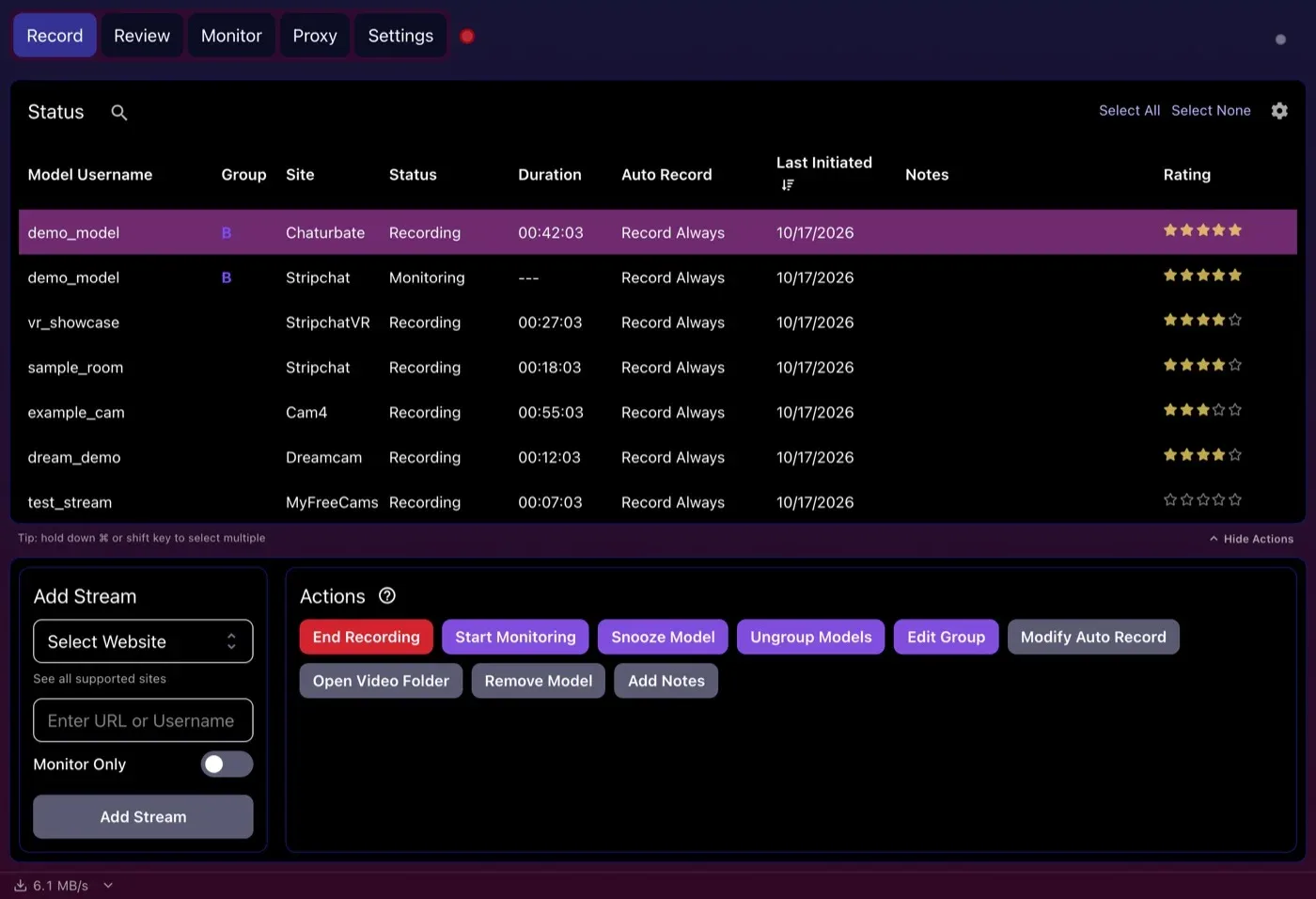
Concurrent recordings on one machine, with the combined download speed shown at the bottom left.
Each recording is one download in either app, so total bandwidth is the sum of your models’ bitrates plus headroom. Measure VR rooms separately from flat ones, because their bitrates can differ a lot. In CaptureGem, Max Concurrent Auto Recordings caps how many automatic recordings run together, which keeps a crowded evening from saturating your line. The Recording & Storage Calculator and our bandwidth and storage limits guide help with the arithmetic.
One recorder for every site
Site coverage is a hardware question too. Every extra tool you install to reach a missing site is another process to keep running, another output folder and another set of files to reconcile. Moniturbate lists 10 platforms. CaptureGem covers nine of them (LiveFreeFun is the exception), adds 15 more built-in sites including StripchatVR, Dreamcam and SexLikeReal, and reaches 130+ further platforms through Streamlink.
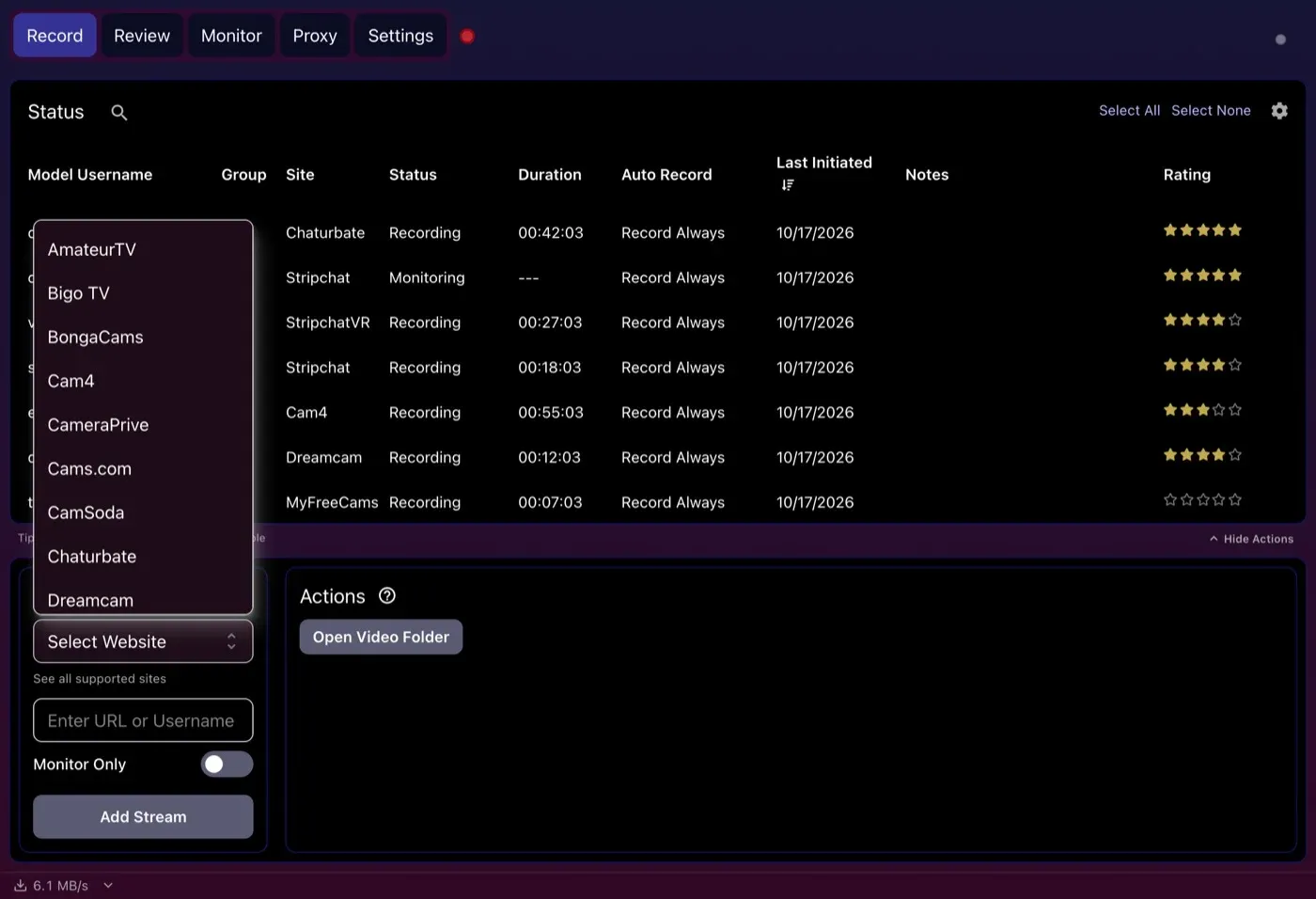
The site menu in CaptureGem’s Add Stream panel, the first of 24 built-in sites.
Keeping the drives healthy
Moniturbate doesn’t advertise storage-management features beyond its editor. CaptureGem has several that matter on a box nobody watches all day:
- Separate temporary and video folders, so temp segments can live on a fast SSD while finished files go to bulk storage or a NAS. Check the paths first with our external and network storage guide.
- Minimum Free Disk Space for Recording (%), which cancels recordings when the drive gets too full rather than filling it completely.
- Audit disk space, which shows what temporary recording files and previews are using.
- Cap Video Segments at Duration, which splits long sessions into 60-minute files by default.
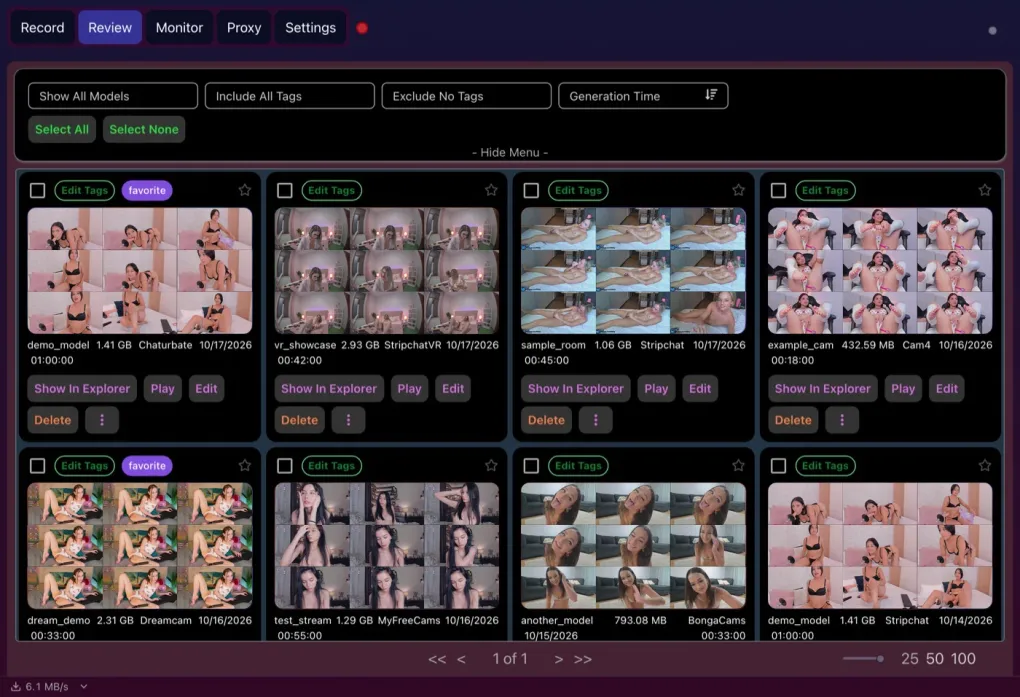
- Batch actions and deletion protection on the Review tab, so you can clear old recordings in bulk without touching the ones you’ve protected.
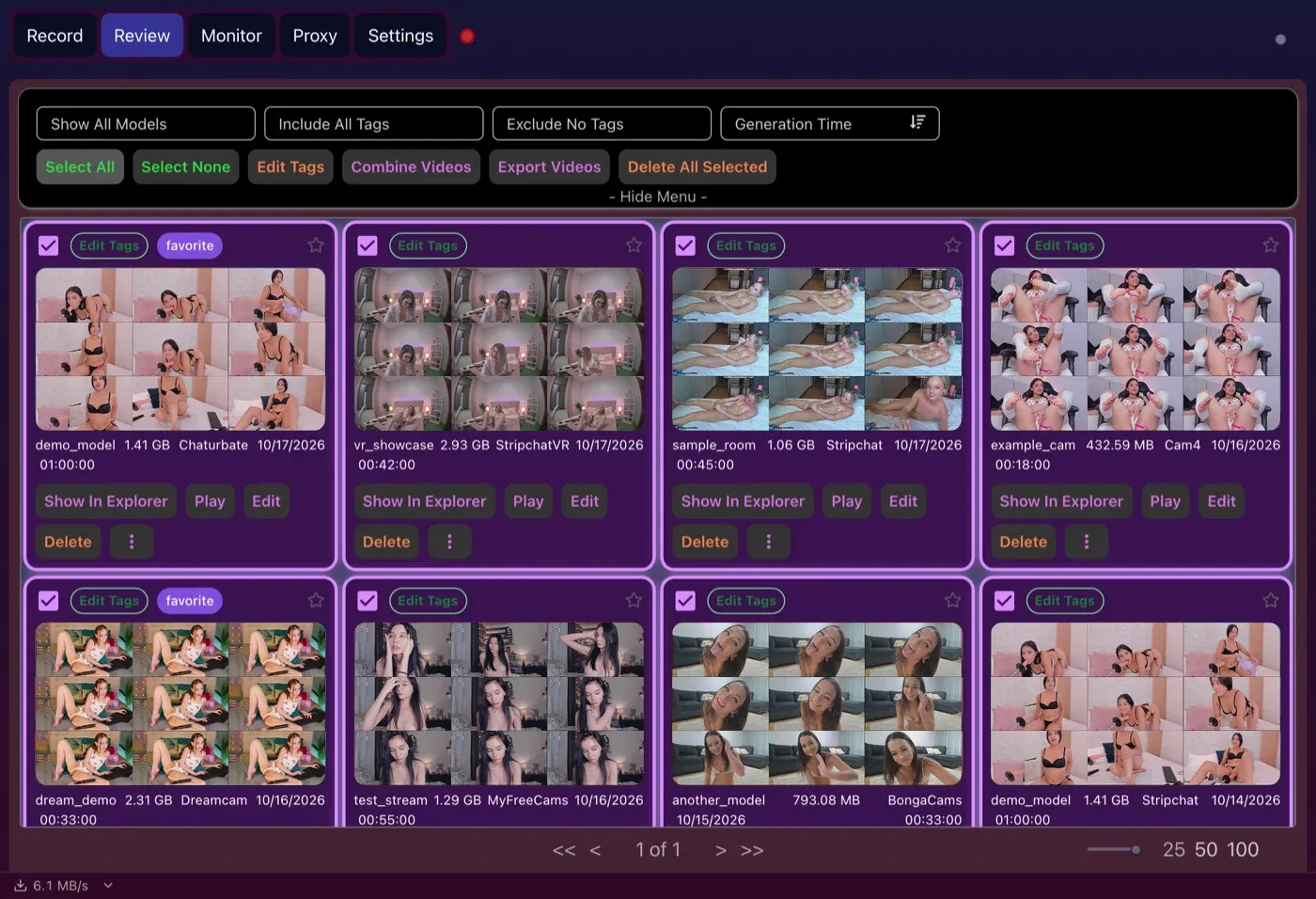
Selecting a batch of recordings to tag, combine, export or delete. Protected recordings are skipped when deleting.
Trimming helps reclaim space too. CaptureGem’s editor keeps the sections you choose, saves them as a new file and can delete the original afterwards.
Delete Original After Saving frees the space of the untrimmed recording once the new file is saved.
For long-term storage, our archiving guide covers copying and verifying finished recordings before you prune locally.
Which should you build around?
Moniturbate fits a Windows PC that records only on its ten listed platforms, where one recording at a time on the free version or a flat monthly Premium plan works for you.
CaptureGem fits every other rig: a Mac or Linux machine, a box that has to cover many sites or VR rooms, a setup you want to load-test for free with several streams, or a recorder that has to look after its own disk space.
Bottom line
Both apps avoid the heavy cost of screen capture, so the choice comes down to platform, coverage and how well the software manages a machine you don’t babysit. CaptureGem wins on all three, which is why we recommend it. Download CaptureGem, run a few concurrent test recordings on your hardware, and pick a Premium plan once the numbers look right.
Keep it legitimate: save only the streams you’re entitled to record, and respect performers, each platform’s rules and your local law.
Loading comments...